

Research verified 2026-11-05
A subscribe box that sends emails nowhere is worse than no box. If you already have a website, the job is not "design a newsletter." It is: put a form on the page, land the address in a list you control, and send a first welcome message without guessing which plugin owns the contacts.
This guide covers four common setups — WordPress, Squarespace, Wix, and static/custom HTML — then the half most platform help pages skip: where the email goes, consent, welcome email, and free-plan traps. Starting from zero with no signup yet? Use How to create a newsletter first.
Affiliate disclosure: when we recommend Systeme.io below, the link is an affiliate link. If you sign up through it, SoloPicked may earn a commission at no extra cost to you. Kit links on this page are official help links only (not affiliate). Full details: affiliate disclosure.
We did not run a hands-on lab across 40 sites. Steps below come from vendor help pages checked for this brief. Where we could not open a live help page (or have no screenshot), we say so instead of inventing UI.
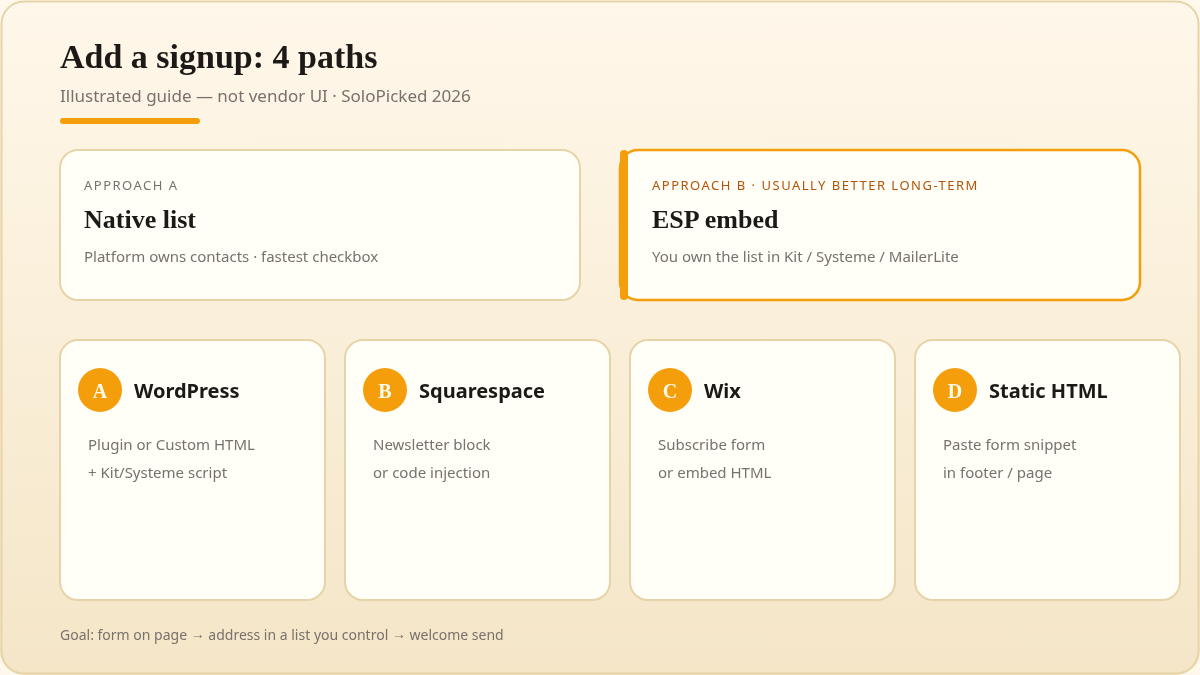
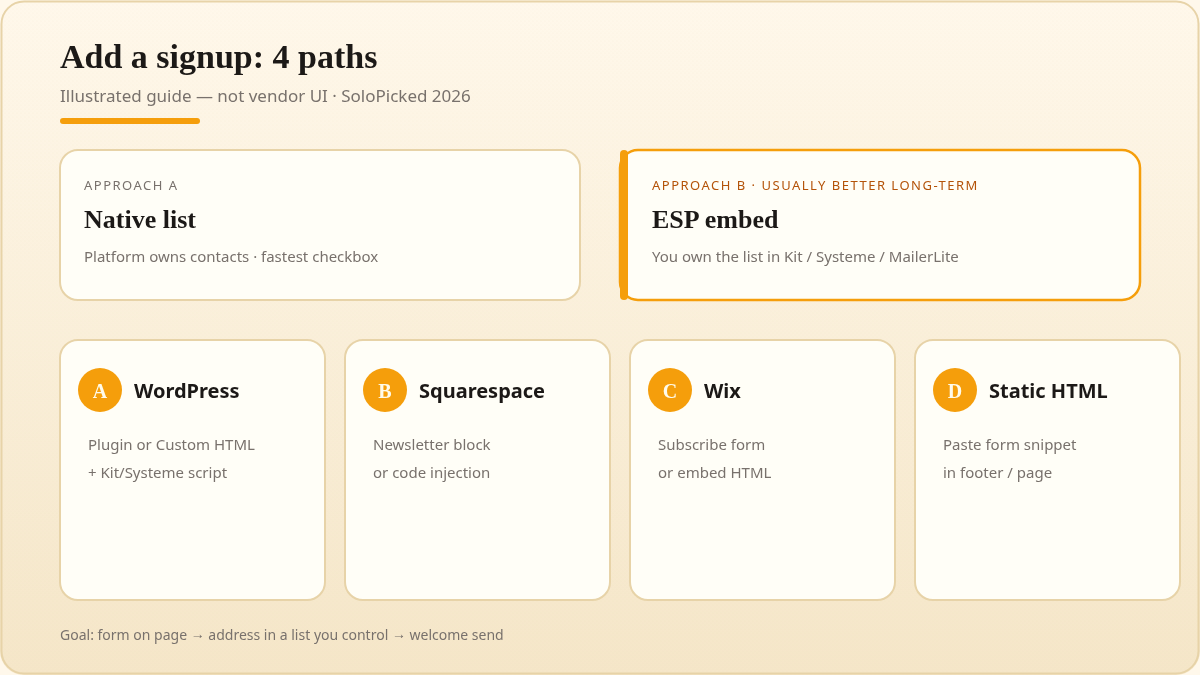
Illustrated decision chart (warm amber / cream). Not a product screenshot.
Decide first: native list vs email tool (ESP)
| Approach | Who owns the list | Best when | Trade-off |
|---|---|---|---|
| Native (Squarespace Newsletter block, Wix Subscribe form, WP plugin that stores locally) | Your website platform | You want the fastest checkbox and you are fine sending from that same platform | Moving later means exporting contacts and rebuilding forms |
| ESP embed (Kit form, Systeme.io script, MailerLite form pasted into the site) | Your email tool | You already know you will send from Kit / Systeme / MailerLite, or you want one list across multiple sites | You must paste embed code and keep it updated (or use the JS/script option that syncs) |
If you expect to sell a course, run a funnel, or keep the list after you change hosts, prefer an ESP list from day one. If you only need "notify me of new posts" inside Wix or Squarespace and will stay there, native is fine.
For free-plan breakpoints after the form works, see Free email marketing tools: real limits. For Systeme as an all-in-one, see our Systeme.io review and Systeme.io pricing. For Kit paid tiers, see ConvertKit (Kit) pricing and Kit vs Mailchimp.
Path A — WordPress
You have two honest options.
A1. Install a newsletter plugin (host-documented path)
one.com's WordPress newsletter guide (checked 2026-11-05) documents the generic plugin flow:
- WordPress dashboard → Plugins → Add New
- Search your plugin → Install Now → Activate
- Connect an external account if the plugin needs one, set sending options, then place the form with a widget, shortcode/block, or popup
That article discusses Mailchimp for WordPress, MailPoet, and Newsletter as examples. We are not copying its Mailchimp free-tier numbers here — those change and are outside this page's verified set. Treat that guide as "how to install a plugin," not as current ESP pricing.
A2. Embed an ESP form (Kit JavaScript — recommended if you want Kit)
Kit's official path (Form embedding basics, WordPress JS embed):
- In Kit: Grow → Landing Pages & Forms → open your Form → Embed
- Copy the JavaScript embed (Kit's recommended option; updates on the site when you edit the form). Paste into a Custom HTML block — not a Script block
- Block editor: add Custom HTML → paste → Preview. Classic editor: switch to Code mode → paste
- Use an Inline form if you want it sitting in the post or page body
- Note: WordPress.com needs Business or higher to embed Kit forms. Landing pages in Kit cannot be embedded inside a page; they are standalone
Raw HTML embed works too, but Kit says you must re-copy after every form edit. Prefer JavaScript.
Systeme.io on WordPress / any external site
If you want the form to feed Systeme instead of Kit, use Systeme's official external embed (help article, page note May 18, 2026):
- In a sales funnel → Add step → Inline form (Opt-in) → select template → Edit
- Click Script → copy
- Paste into your site's HTML / widget section
For a popup: Add step → Popup form, copy Script, paste into the site header or footer code. Systeme also recommends reCAPTCHA + double opt-in against list bombing, and using Script (not stripped embedded HTML) so reCAPTCHA can work (list-bombing help).
Remember Systeme Free only includes 3 sales funnels and 1 automation rule — every embed step still lives inside that funnel budget (pricing facts).
Path B — Squarespace
Squarespace ranks with a first-party Newsletter block. Official help: Newsletter blocks (SERP dated Sep 17, 2026).
Automated fetch of that help page hit a login/consent wall on 2026-11-05, so we only assert the steps Google showed in the snippet — open the live article before you click around if Squarespace changed labels:
- Open the Pages panel
- Open the page → Edit
- Add block or + → choose the Newsletter block
Native path keeps subscribers in Squarespace's own email tools unless you connect something else. If you want Kit or Systeme to own the list, skip the native block and paste an ESP embed into a Code / embed block the same way as Path A / D.
Path C — Wix
Official: Wix Forms — Adding and Setting Up a Subscribe Form (also Get Subscribers form), checked 2026-11-05.
Old Forms path stated on Wix's page:
- Editor → Add Elements → Contact & Forms
- Scroll to Subscribe → drag a form onto the site
- Settings → adjust layout, design, and manage submissions
Wix states that submissions are added to your contact list with a Subscriber label for Wix Email Marketing. For consent, Wix's Privacy and Email Marketing page puts responsibility on the site owner and describes implied vs explicit consent (for example an opt-in checkbox on the form). Do not assume "implied" is enough for every country you email.
If you outgrow Wix Email Marketing or want Systeme/Kit sequences, embed that ESP's script instead of (or in addition to) the native subscribe form.
Path D — Static site or custom HTML
No host owns this path. Pattern:
- Create the form in your ESP (Kit Form builder → Embed → JavaScript, or Systeme Inline form → Script)
- Paste the snippet where the form should appear in your HTML
- If the host blocks third-party JavaScript, use the form's share URL / landing page instead (Kit: landing pages are standalone and are not meant to be inlined)
After signup: where the email goes, confirmation, welcome
- Submit the form yourself with a real address you control. Confirm it lands in the expected list (Squarespace/Wix contacts vs Kit/Systeme audience) — not only in a "form submissions" CSV you never open.
- Confirmation / double opt-in: when available, turn it on. Systeme explicitly pairs double opt-in with reCAPTCHA for abuse prevention. Confirmation proves the person owns the inbox; it is not optional theater in markets that expect explicit consent.
- Welcome email: send one message that sets expectation (what you send, how often), delivers any promised lead magnet, and includes a clear way to leave. Kit Free does not include email sequences — so a true automated welcome series may require a paid Kit plan or another tool. Systeme Free includes 1 automation rule; whether that is enough for a multi-email series depends on the builder, and we do not invent that it covers a full drip. MailerLite Free lists automations but caps the list hard (below).
- Placement: header, end of post, and exit-intent popups all collect different people. We have no first-party A/B data on this site — start with end-of-post + one obvious site-wide form, then change one variable at a time.
Free-plan traps that hit the form (verified 2026-11-05)
Reuse only the official caps from our free-tools audit:
| ESP | Form-related free fact | When you go over |
|---|---|---|
| Kit Free | Unlimited forms & landing pages; up to 10,000 subscribers; no visual automations / sequences | Must upgrade to keep sending above 10k |
| Systeme.io Free | Up to 2,000 contacts; 3 funnels; 1 automation rule; unlimited sends | Opt-in forms and payments stop; cannot add contacts; emails and new automations pause |
| MailerLite Free | 250 subscribers; 2,500 monthly emails; 3 active forms; 1 landing page | Campaigns + automation sending locked |
Full table and sources: Free email marketing tools. Official sources used there: Kit Free plan help, systeme.io/pricing, MailerLite pricing.
Systeme is the only tool on this page with a live SoloPicked affiliate link. If you want an all-in-one free funnel + opt-in on a budget, start with Systeme Free: systeme.io. If you mainly need a writer-friendly form on an existing blog, follow Kit's official embed docs linked above (no Kit affiliate URL on SoloPicked yet).
Compliance floor (not legal advice)
US commercial email has statutory rules. Open the FTC's CAN-SPAM Act: A Compliance Guide for Business and follow it before you send — our automated fetch of that page was blocked on 2026-11-05, so we are not paraphrasing its checklist from memory here. Separately, record consent and do not assume implied consent is enough everywhere; Wix's GDPR/email marketing help is a useful vendor reminder that the site owner owns that responsibility.
FAQ
What is the easiest way to set up a newsletter signup?
If your site is already on Wix or Squarespace, the native Subscribe / Newsletter block is the fewest clicks. If you care about owning the list inside an ESP you will keep for years, paste a Kit or Systeme embed instead — one extra step, fewer migrations later.
What is the best program to create a newsletter?
"Best" depends on the breakpoint you hit first. For $0 limits, compare Kit / Systeme / MailerLite in free email marketing tools. This page only answers how to attach a signup to a site you already have.
Can I add a signup without rebuilding my website?
Yes. Every path above is an add-on: plugin, native block, or pasted script. You should not need a redesign.
Native block or third-party form?
Native wins on speed and styling that matches the theme. Third-party ESP wins on list portability, sending reputation dedicated to email, and automation features. Migration cost is the hidden fee of native-only setups.
Soft next step
- Pick native vs ESP for your next 90 days
- Add one form using the matching path above
- Send yourself a test signup and a welcome note
- Read the free-tier breakpoint guide before you promise a big lead magnet that will blow a 250-subscriber cap
Want the all-in-one free funnel path? Try Systeme.io Free (affiliate). Prefer Kit's form embed on a writing site? Use Kit's official help links in Path A — no partnership claim from us until that changes.