

Affiliate disclosure: SoloPicked may earn a commission when you buy through links on this page, at no extra cost to you. Read our Affiliate Disclosure for details.
Freelancers rarely need a landing page builder for just one reason. You may need a fast page for your own service offer, a polished campaign page for a client, a lead magnet that connects to email, or a full funnel with checkout for a course or productized service. The “best” tool depends on whether you are optimizing for speed, design control, client handoff, or an all-in-one stack.
This guide is based on vendor documentation, public pricing pages, and common freelancer workflows—not hands-on lab testing. Pricing and plan limits change often, so treat the figures below as directional and verify current details before you buy.
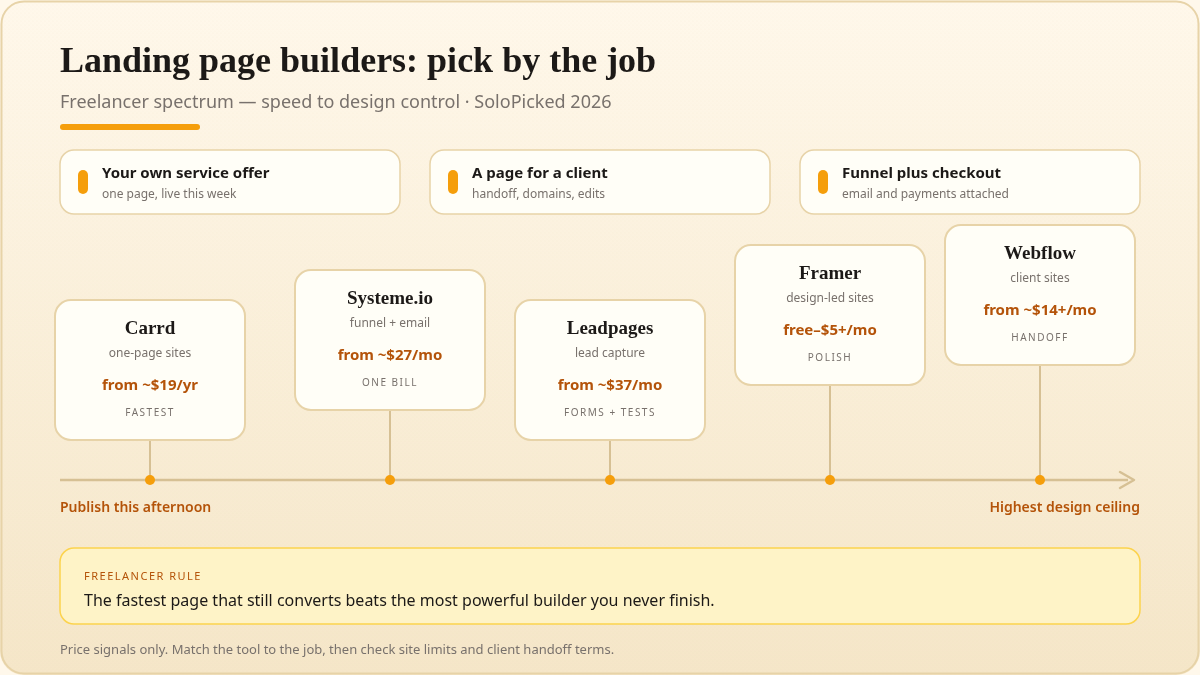
Illustrated chart (warm amber / cream). Not vendor UI.
How we evaluated landing page builders for freelancers
We compared each tool against the jobs freelancers actually do: launching personal offers quickly, building pages for clients, and keeping costs and maintenance predictable.
- Time to launch: Can you publish a credible page in an afternoon, or does it require a design system and a learning curve?
- Client handoff: Can you transfer a project, invite a client as an editor, or bill site costs to the right party?
- Multi-site economics: Does the plan include enough sites, pages, and forms for a freelancer managing several offers or clients?
- Conversion features: Native forms, email integrations, payments, scheduling, popups, and A/B testing where relevant.
- Design ceiling: Templates are useful, but can you make the page feel custom without fighting the builder?
- Lock-in and maintenance: Custom domains, export options, CMS limits, and how much ongoing maintenance the client inherits.
- Learning curve: Freelancers wear many hats; a tool that saves an hour per page can beat a more powerful tool that requires a course.
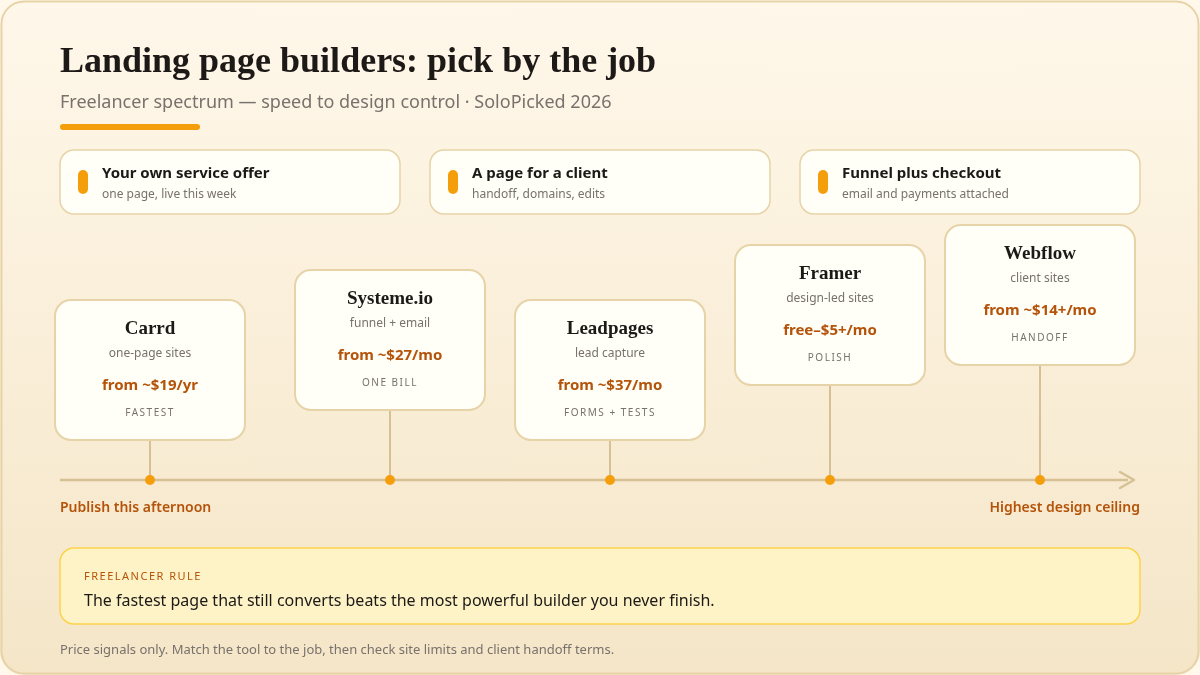
No single tool wins across all criteria. Carrd and Framer are faster for simple pages; Systeme.io is stronger for funnels and email; Leadpages focuses on lead generation; Webflow has the highest ceiling for custom client sites.
Comparison table: landing page builders for freelancers
| Tool | Best for | Entry paid plan* | Free option | Custom domain | Forms / email | Funnels / checkout | Learning curve |
|---|---|---|---|---|---|---|---|
| Carrd | One-page sites, link hubs, simple offers | ~$19/year | Yes | Paid plans | Native forms on paid plans; Zapier | No native checkout; embed options | Low |
| Framer | Design-led marketing pages and quick client sites | ~$5/month | Yes | Paid site plans | Native forms; integrations | No native full funnel; third-party checkout | Medium |
| Systeme.io | All-in-one pages, funnels, email, courses | ~$27/month | Yes | Paid plans | Native email/CRM | Yes | Medium |
| Leadpages | Lead-gen pages and conversion-focused templates | ~$37/month billed annually | 14-day trial | Yes | Native forms; integrations | Limited; integrations | Low–medium |
| Webflow | Custom client sites with CMS and advanced design | ~$14/month site plan | Yes, staging only | Yes | Native forms; logic; integrations | Not native; ecommerce add-on | High |
*Approximate USD entry pricing at the time of writing in 2026, often annual billing. Plan limits, seats, and site caps vary. Always check the vendor’s current pricing page.
Carrd: best for fast one-page sites and personal offers
Carrd is the tool many freelancers reach for when they need a clean one-page site without opening a design project. It is built around simple, responsive pages: a hero, sections, buttons, forms, embeds, and a custom domain. For a freelancer validating an offer, creating a link-in-bio hub, or publishing a service page before a call, Carrd’s speed is the feature.
Where Carrd fits freelancer work: personal service pages, waitlists, lead magnets, event pages, link hubs, and simple “book a call” pages. If you need to spin up a landing page for a client’s campaign and the scope is genuinely one page, Carrd can be a practical, low-maintenance choice.
Limitations to plan around: Carrd is not a full website builder, CMS, or funnel platform. Native checkout is not its core strength, so product sales usually rely on embeds or third-party tools. Form and integration features depend on your plan, and multi-site limits matter if you manage several client projects. Before promising a client a Carrd site, confirm whether the site should live under your account or theirs, and who pays for the paid plan.
Freelancer verdict: choose Carrd when speed and simplicity matter more than a large design system. It is excellent for personal offers and lightweight client pages; less suitable when the client expects a blog, complex CMS, or native funnel automation.
Framer: best for design-forward landing pages and modern client sites
Framer has become a strong option for freelancers who want a marketing site that looks custom without building from scratch in code. It combines a visual design canvas with responsive layouts, effects, CMS collections, and templates. For designers, the appeal is control over typography, spacing, and motion while still publishing a real website.
Where Framer fits freelancer work: portfolio sites, productized-service pages, SaaS-style marketing pages, campaign landing pages, and client sites where visual polish is part of the pitch. If you already think in design tools, Framer can reduce the gap between a mockup and a live page.
Limitations to plan around: Framer is more capable than a simple one-page builder, which means more decisions. Plan limits, CMS capacity, and site billing need checking before you take on a client project. It is not an all-in-one funnel or email platform, so checkout, email automation, and CRM usually come from integrations. For client handoff, clarify project ownership, editor seats, and who controls the site plan.
Freelancer verdict: pick Framer when the page needs to look distinctive and you are comfortable with a design-first workflow. It is a strong middle ground between Carrd’s simplicity and Webflow’s complexity, but it is not the lowest-maintenance option for clients who will edit content often.
Systeme.io: best for all-in-one pages, funnels, email, and checkout
Systeme.io packages landing pages, sales funnels, email marketing, automation, courses, and checkout into one platform. For freelancers selling a productized service, workshop, template pack, or course, that consolidation can remove several subscriptions and a lot of integration work. You can build a funnel, capture leads, send email sequences, and take payments in one place.
Where Systeme.io fits freelancer work: course launches, coaching funnels, paid workshops, lead-gen offers with email follow-up, and simple digital product sales. It is also useful if you want to offer funnel-building as a service to clients without stitching together five tools.
Limitations to plan around: the design ceiling is lower than Framer or Webflow, and the interface can feel dense if you only need a single page. Email deliverability, contact limits, and funnel limits depend on your plan, so match the tier to your list size and client commitments. As with any all-in-one platform, migration is more involved than moving a static page.
Freelancer verdict: choose Systeme.io when the landing page is part of a larger customer journey. If you need one page and nothing else, it may be overkill; if you need pages, email, automation, and checkout under one roof, it is one of the most practical freelancer stacks.
Leadpages: best for lead-generation pages and conversion templates
Leadpages is focused on lead generation: landing pages, opt-in pages, thank-you pages, popups, and conversion-oriented templates. Freelancers who run lead-gen campaigns for local businesses, consultants, or service clients may appreciate the template library and the relatively straightforward editor.
Where Leadpages fits freelancer work: webinar registrations, lead magnet pages, consultation bookings, and campaign pages where the goal is a form submission rather than a full website. It can be a sensible choice for a freelancer who wants a dedicated conversion tool alongside a separate website.
Limitations to plan around: Leadpages is not a full website builder or a complete funnel/email platform. Checkout and advanced automation usually require integrations. Pricing is higher than simple page builders, so it makes the most sense when you will actively use its templates, testing features, and lead-gen workflow—not just as a one-page host.
Freelancer verdict: pick Leadpages if lead capture and conversion templates are the core job. If you need a portfolio, CMS, or native course checkout, another tool in this list is likely a better fit.
Webflow: best for high-end client sites and CMS-driven landing pages
Webflow offers the highest design and development ceiling in this group. It combines visual layout control with a CMS, interactions, and hosting. For freelancers who build websites for clients, Webflow can support a landing page today and a content-managed site later without changing platforms.
Where Webflow fits freelancer work: client marketing sites, CMS-driven resource hubs, campaign pages that need reusable components, and projects where the client expects a long-term website rather than a single page. It is also a common choice for freelancers who want to charge for design and development while handing off a maintainable site.
Limitations to plan around: the learning curve is real, especially around the box model, responsive breakpoints, CMS structures, and client billing. Site plans and workspace costs can add up across multiple client projects. Webflow is not a native funnel or email platform, so checkout and automation usually require integrations.
Freelancer verdict: choose Webflow when the project justifies the complexity and the client needs a serious website. It is less efficient for a one-off lead page, but strong for freelancers positioning themselves as web designers or developers.
Who should pick what?
| If your priority is… | Start with… | Why |
|---|---|---|
| Launching a personal offer this week | Carrd | Fastest path from idea to a clean one-page site |
| A design-forward portfolio or client campaign | Framer | Strong visual control without full Webflow complexity |
| Selling a course, workshop, or productized service | Systeme.io | Pages, email, automation, and checkout in one stack |
| Running lead-gen campaigns for service clients | Leadpages | Conversion templates and lead-capture focus |
| Building a long-term client website with a CMS | Webflow | Highest design ceiling and structured content support |
A practical freelancer approach is to keep a fast tool for personal offers and a more capable tool for client work. For example, Carrd for your own service page and Webflow for a client’s CMS site can coexist. The mistake is forcing one platform to be both a five-minute page builder and a long-term client website platform.
Client handoff checklist before you choose
Before you commit a client project to any builder, answer these questions:
- Who owns the account and domain? The client should control the domain and, ideally, the paid site plan.
- How many editor seats are included? Content updates become your job if the client cannot log in.
- What happens when the project ends? Confirm transfer options, export limits, and whether the site can stay live under the client’s billing.
- Which integrations are native? Forms, email, scheduling, and checkout may require third-party tools that add cost.
- What is the maintenance burden? CMS limits, plugin-free hosting, and template updates all affect how much support you will provide after launch.
FAQ
What is the best landing page builder for freelancers overall?
There is no single best builder. Carrd is the fastest for simple one-page sites, Framer is stronger for design-led pages, Systeme.io is best for funnels and email, Leadpages fits lead generation, and Webflow is best for custom client websites. Choose based on the job, not the brand.
Can I use one landing page builder for my own offers and client projects?
Yes, but check the license and site limits. Some plans allow multiple sites under one account; others charge per site or restrict client billing. For client work, the cleanest setup is usually a client-owned account with you as an editor or collaborator.
Which tool is cheapest for multiple client landing pages?
Carrd is often the lowest-cost entry point for simple pages, but site limits and paid-plan requirements matter. Systeme.io can be cost-effective if you also need email and funnels. Webflow and Leadpages usually cost more, so reserve them for projects that use their stronger features.
Do I need Webflow if I already use Framer?
Not necessarily. Framer can handle many marketing pages and portfolio sites. Webflow becomes more compelling when you need a robust CMS, complex responsive layouts, or a long-term client website structure. For a single campaign page, Framer is usually faster.
Can Carrd handle payments and email?
Carrd can embed third-party checkout and form tools, but it is not a native funnel or email marketing platform. If you need built-in checkout, email sequences, and automation, Systeme.io is a better fit.
Is Systeme.io a replacement for Leadpages?
For some freelancers, yes. Systeme.io covers pages, funnels, email, and checkout in one platform. Leadpages may still appeal if you want a dedicated lead-generation tool with conversion-focused templates and are already using separate email and checkout software.
Which builders support custom domains and forms?
All five tools support custom domains on paid plans, and all offer forms or form integrations. The details differ: Carrd and Framer rely more on integrations for advanced workflows, Systeme.io includes native email and CRM, Leadpages focuses on lead capture, and Webflow supports native forms with logic and integrations.
Final take
For freelancers in 2026, the landing page builder decision is really a workflow decision. If you need speed for your own offers, start with Carrd. If design is the differentiator, look at Framer. If you are selling a course or service funnel, Systeme.io consolidates the stack. If lead generation is the job, Leadpages is purpose-built. If you are building serious client websites, Webflow justifies its learning curve.
Pick the tool that matches the next three projects you actually have—not the most powerful platform on paper.